This feature enables your customers to add an item to a list (favorites, wishlist, quote, etc.). It requires 2 elements:
- Interaction with an add-to-list function on your website, provided by you.
- Reading the contents of the list via a data layer or equivalent.
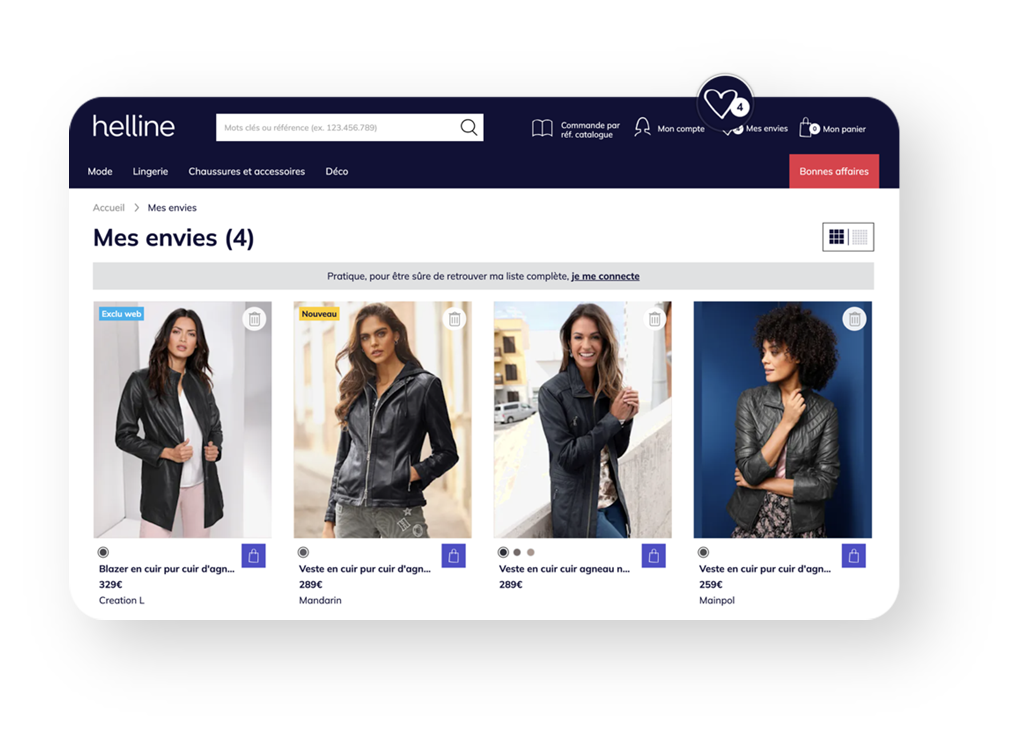 Add to list function
Depending on your needs, discussed with your Customer Success Manager, an add-to-list icon/button on each product plot can be displayed to enable the user to add to the list.
When your customers click on this icon/button, the add-to-list function you've provided is executed. This function must meet the following specifications:
Signature
- function(<id_article>, <add>) : <code>
- function(<id_article>, <add>) : <Promise<code>>
You provide a synchronous or asynchronous function that adds to the list. If your function is asynchronous, the return code must be provided via a “promise”.
Parameters
- <id_article> (String) : sku identifier (id) of your catalog feed sent to Sensefuel
- <add> (Boolean) : indicates whether the item should be added to or removed from the list
Return codes
Return codes from your function or through the "promise" of your function:
- "success": successful add to list
- "error": the action is not correct and the add to list action could not be executed
- "information required": your customer must perform an action (such as logging in, entering a zip code, etc.)
Availability
The function must be available throughout your entire website.
Behavior
If the function's return code is “information required”, the search layer may close automatically so that you can display a modal/pop-in for your customer to fill in the required information. (Log in to your customer account, for example).
Function name & configuration
To activate or configure this feature, please contact your Customer Success Manager.
Retrieve the list content
When the add to list function is activated, Sensefuel fetches the contents of your list through a function / variable / datalayer that you make available. The aim is to enable Sensefuel to correctly manage and display products that have already been added to the list. This information gives Sensefuel the status of the products. The information is only read by Sensefuel, and no data will be modified. Any alteration to the data must be managed by you.
Signature
- <data>
- function() : <data>
- function() : <Promise<data>>
You provide Sensefuel with a synchronous or asynchronous function that returns the data (via a “promise” in the case of an asynchronous function), or a variable (global variable, datalayer, local storage, cookie) that contains this data.
Data structure
{

  "articles": {

    <id>: {

      "lists": <boolean>

    }

  }

}
Example
{

  "articles": {

    "A_1043": {

      "lists": true

    },

    "A_1044": {

      "lists": true

    }

  }

}
Availability
The function must be available throughout your entire website.
Function name & configuration
To activate or configure this feature, please contact your Customer Success Manager.